Invoices
Choose a customer, add items and check VAT. Item names search your price list after 3 characters. Download, send or repeat a completed invoice.
What do you need to do? Write your first invoice, find a payment or send documents to your accountant?
Choose a customer, add items and check VAT. Item names search your price list after 3 characters. Download, send or repeat a completed invoice.
Need one invoice? Open the simple form on the public website.
Save customers and frequently used items. You can save a new item to the price list directly while creating an invoice.
Enter the customer’s business ID, check the name and address found, then add them to the contact.
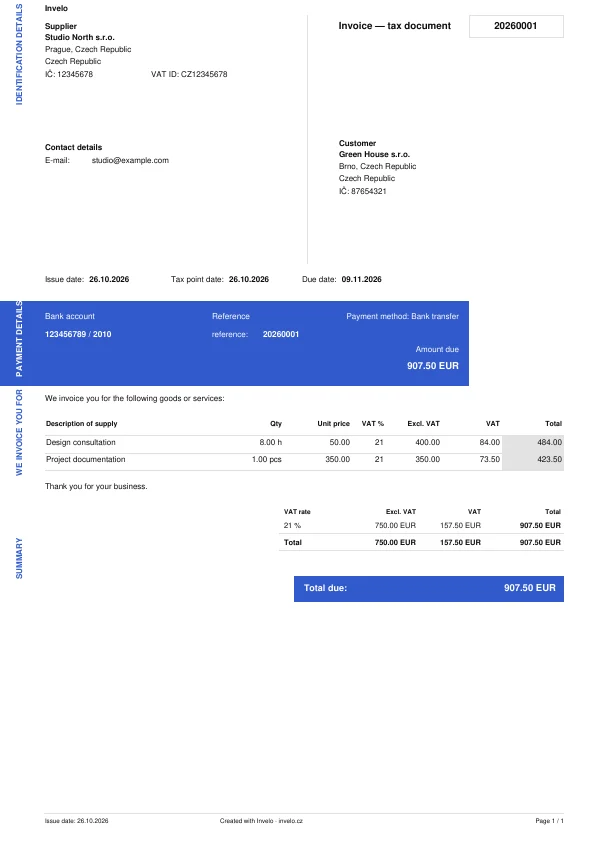
Enter the quantity, price and VAT rate. Apply a discount to a single item if you like. The document shows totals before and after VAT.
Finish an invoice later or use a previous one as the starting point for a new one.
Request a deposit, record its payment and deduct it from the final invoice.
Refunding part of the price? Open the original invoice and issue a credit note against it.
List what the customer receives and download the delivery note as a PDF.
An interface in available languages, four currencies and country profiles for CZ, SK, DE and PL. Multilingual documents for international customers.
Set invoices to recur on a schedule.
Email the PDF to your customer. The history shows when and where you sent it.
Send the customer a link to their document. The history shows whether it was opened and when it was last viewed.
Find a customer’s question and your reply alongside the invoice they concern.
Upload a file, match the columns and check the preview before saving.
Photograph, crop and save a receipt, or add a received document. You can enter its details manually.
Pick a file or take a photo. Check the amounts and VAT that Invelo reads, then save. Invoices and receipts share one credit balance.
Your workspace shows how many scans you have left. You can buy another pack separately during your subscription.
A batch of up to 20 receipts is saved as one compressed PDF. Each receipt has its own page and recognition.
Forward incoming invoices to your company’s Invelo address.
See who owes you money and whom you need to pay. Select a date to view the payments for that day.
Add a lease or phone bill with its amount, currency and payee. Edit or delete your entry when plans change.
Enter the amount, date and payment method. You can record partial payments. Cash payments use the applicable rounding.
Add a QR code to an eligible invoice so the customer can scan its payment details in their banking app. Set the numbering and reference format for your company.
Choose when to remind a customer about an unpaid invoice, or send a reminder yourself from the invoice.
List the items, prices and any discount for your customer. Save the quote as a PDF.
Keep work, time, extra work and advances with each project. Customers approve quotes and extra work through a link.
Start a timer or enter hours by hand. Attach receipts to the job and turn selected hours into work items.
Send your customer a link. Open the job to see what they approved.
Compare sales and purchases for a period, switch currency and choose totals with or without VAT. The VAT summary shows input and output tax.
Choose the dates, currency and documents, then download a PDF, ZIP, Excel or CSV file.
Select a month and download the documents. The archive groups documents in folders; receipts can also be downloaded as a single PDF.
Before sending the files, check for missing attachments, incomplete details and unmatched payments. Mark the month as ready or handed over.
Include originals and, if wanted, PDFs made in Invelo. Confirming handoff locks the documents. Unlocking them requires a reason.
Your accountant downloads without registration. The link grants access only to the current version of this month. Create a new link if documents change.
Set your company details, logo, document layout, numbering and bank accounts by currency.
Add your logo and signature. For a customer abroad, you can print a bilingual document.
Switch between companies in one account. Each has its own documents, settings and subscription.
Use Customize dashboard to hide cards and change their order. Save your settings; they apply to you in this company. Move blocks by their handle, drag the right edge to resize, and use the eye icon to hide or show them.
Drag the handle. Use keyboard arrows to change the order.
Set up Invelo for your business. You can change everything later.
See where to create invoices, save documents and customize your dashboard.
See the next holidays on your dashboard or open the full year.
Find a document by number or customer, filter and sort the list, or restore a document from the trash.
Switch companies, invite colleagues and choose what they may view or change. Each company has its own documents and subscription.
Open the bell for new messages. Company activity shows who made a change.
Try the first month without a card. Your account shows the end date. You can renew a paid subscription one month before it ends.
Track payments received, unpaid invoices and jobs. Show outstanding and overdue receivables on your home dashboard. Create a notification when payments received today increase. Display the number of active projects.
One key connects the whole company. Currencies in use are shown separately, without conversion. Data refreshes every 5 minutes. The selection applies to every Smart Home connection for this company and every currency. Disabled values are withheld by the API.
Ask a question in your workspace while working on your documents.
Use the floating button in the corner to report a problem or suggest an improvement, and follow replies. The administrator may grant a reward for a resolved problem or an implemented idea.